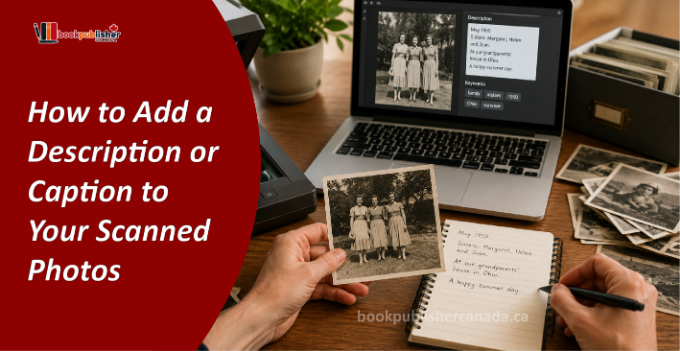
It is important for the significance of old photos not just to be stored away in an electronic file folder. Though the process of scanning prevents the loss of the photos through their physical deterioration, many people realize later on that they do not know the identity of the individuals in the photo, nor do they know the place and reason why it was captured.
For whatever purpose the photos are kept—whether for a family record, a personal archive, or as part of a book project—the addition of the right information makes searching, sorting out, and sharing them much easier.
Captioning transforms regular pictures into documents of memory. Otherwise, no matter how important an image is, it will lose its importance as the names, dates, and places become distant memories.
A good caption should contain information about:
It adds value to your collection and makes it easier to find any particular picture from your album.
Captions that are brief, precise, and factual are the most useful. Do not write long paragraphs but focus on facts that will be useful for identifying the photograph.
For instance, if one writes “A family gathering,” he/she may opt to write “Ahmed and Sara celebrating Eid with grandparents in Toronto, 2012.” In this way, facts are provided without the caption becoming too long. In case you do not have certainty about certain facts, indicate that these are estimates.
However, it is not necessary that all photos must contain detailed information; rather, by including some necessary information, their future use becomes easy.
Some of the things that can be included in each photo are:
While most people will only describe their files through file names, it’s actually best to use metadata for scanned photos. Information can be stored within the picture file, which means that even if you move it to a different folder or location, the information is always linked to it.
The process becomes more convenient when you have several hundred or thousands of pictures because there are photo management software tools that allow you to edit metadata without editing the photo itself.
Captions will be far more easily added if photographs have been categorized first. Rather than working on photographs randomly, start by categorizing them prior to captioning.
An example of an efficient approach can be:
This process is helpful for organizing family photo archive projects by minimizing redundancy and ensuring uniformity in naming conventions.
A good filename is not meant to replace but should work alongside the caption. With a standard method of naming your photos, there will be no room for error when you need to share them or back them up.
Examples include:
| Feature | File Name | Caption | Metadata |
| Easy to recognize rapidly | ✔ | ✔ | ✔ |
| Has comprehensive data | ✘ | ✔ | ✔ |
| Is linked to an image | Partial | Partial (depends on software) | ✔ |
| Can be used in search | Low | Medium | Very High |
| Ideal for large amounts of images | Low | Medium | Excellent |
Following a routine helps yield better results than attempting to create different captions all the time. Photo captioning tips will help in improving clarity and accuracy by:
This way, your archive will remain valuable for many years to come rather than become yet another set of unknown pictures.
When you have thousands of photos to organize, editing each one individually may take a long time. The use of photo caption software will make this task easy, as you will be able to change the caption, keywords, and other data in one place. There are many software programs that allow you to perform batch editing.
If you use your computer to store digital archives, choosing a program that provides searchable metadata and backup options will be useful for you.
Having a uniform system of naming images allows for more efficient searching for particular pictures months or even years down the road. You should avoid naming images using general filenames and go for naming them using information that is more likely to be searched for.
When labelling scanned photos, try to include:
Even if everything is organized in your collection, you may end up confused if you don’t have proper captions. Making some basic errors could lead to the degradation of the quality and reliability of your collection.
Here are some basic errors that you should avoid when captioning your collection:
In addition, after creating a significant part of the collection, you will be able to find some chances for publishing poetry and other creative works related to your life stories. Properly written notes make great backgrounds that help to create an interesting story and preserve real-life experience for the audience.
Then consistency is much better than writing long descriptions. Create a simple structure that will allow you to include the name of people, place and the approximate time for every photo. In this way, you avoid confusions and make every photo equally informative. As you add description to photos, think about the facts that someone who doesn’t know about the picture will be able to understand in the future.
Moreover, it is always good to check your notes before saving them as your final copy. Spelling, proper language and dates will help to improve the quality of your archive and simplify further searching for necessary information.
It is equally advantageous to maintain captions as they are descriptive in case one decides to add their family pictures to books that can be either printed or digitized. Captions make the process of organizing such pictures easier before formatting them into a Kindle book, KDP publication, or professional narration by the best audiobook publisher in Canada.
Providing useful captions in addition to scanned pictures is the most straightforward way of ensuring that their worth remains intact for many years to come. Useful descriptions such as captions, well-organized file names, and relevant metadata help to make sure that the stories in your pictures are preserved.
Whether you are digitizing old photos, not only for personal purposes but for any kind of a publication, spending a little bit more time on documenting your pictures will prove to be a wise choice in the long run.